
1. Start Capture One
2. Go to Scripts>Open Scripts Folder
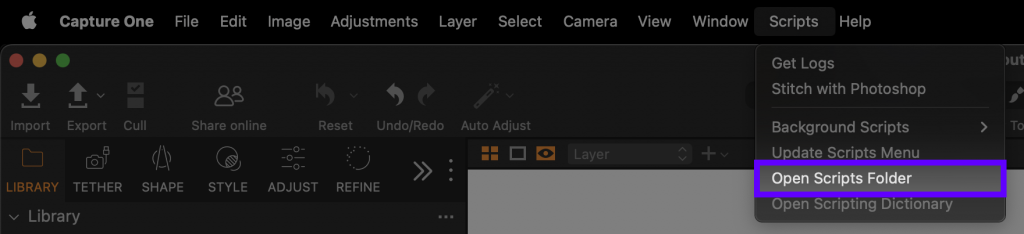
3. Download Sneak Auto Export Script:
4. Save the script to „Background Scripts“ Folder (To disable the script move it to the „Disabled Scripts“ Folder):

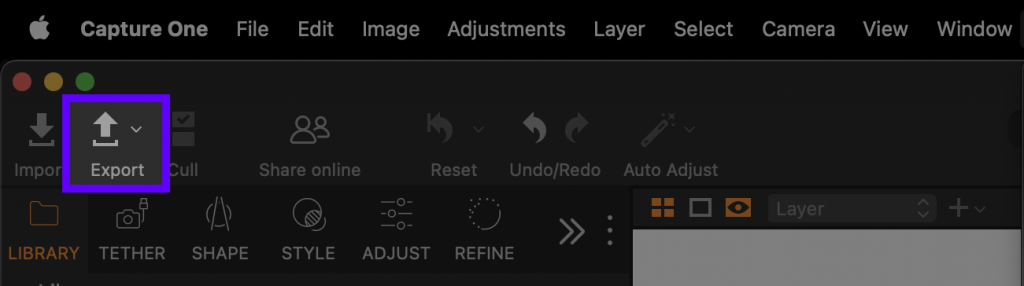
5. Go back to Capture One. Open the Export Window:
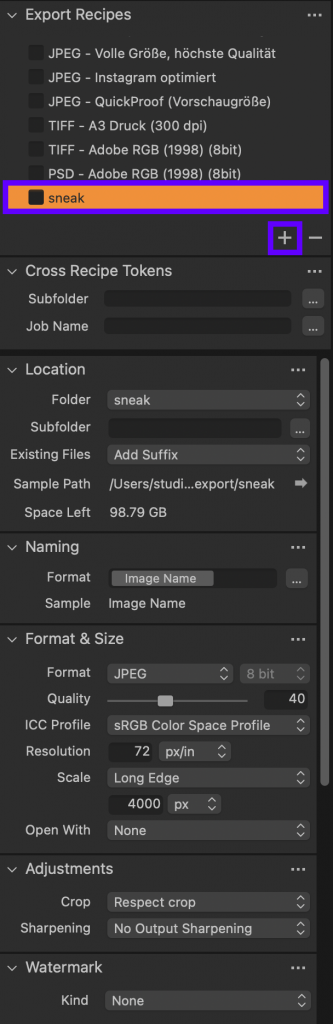
6. Create a new „Export Recipe“ by pressing „+“ and name it „sneak“. Now you can select your export Settings, like folder and image size. For the Folder choose the hot folder you selected in sneak.
Result: Whenever Capture One receives an image (tethered) it will be automatically exported with our „sneak script“ using the „sneak“ recipe. So whenever you take a picture it will be in Capture One as usual and now also in Sneak. Sneak is the perfect addition to your current workflow.


